
We have various ways to help you get more eyes on your services.
Starting with the complete advertising guide:
Visit this link here for the guide!
To advertise in onsite ads such as Just Picked for You, New & Trending, Top Rated, and Category Pages, navigate to your services and click on the "promote service" button next to the service you'd like to advertise.
Review the dates in red you're quoted before you pay. These are the dates your service will be featured in the section you chose to advertise your service.
Watch the video below for a tour of where all ads are seen:
To view your pending sponsored services and review the dates your service will be seen in the section you booked, click this direct link here: https://legiit.com/buyer/sponsored-transactions
Advertise your service via Search Ads
Navigate to your services and click on the "Promote Keyword" button next to the service you'd like to advertise.
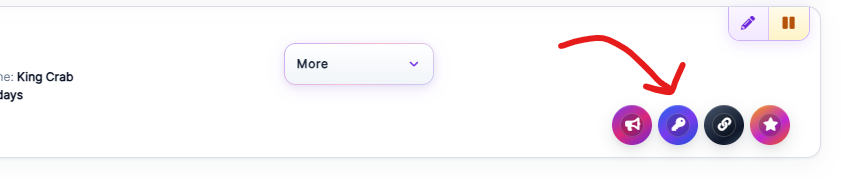
We have 2 options:
Search Ads - get seen on the results page when a customer types a specific search term like "backlinks" or "guest posts" and clicks 'enter'


You can reserve any keyword variation!
Some top keywords recommended to reserve include but are not limited to:
local seo
backlinks
logo design
pbn links
This is to give you an idea.
To view your pending keyword ads and review the dates your service will be seen with the keyword you booked, click this direct link here: https://legiit.com/buyer/sponsor-keyword-transactions
Complete list of advertising options on Legiit: https://advertise.legiit.com/advertising-rates/
For help or questions, please click on the purple chat icon on the lower right side of your screen, then "Customer Support" or contact help@legiit.com