
A Sample Deliverable is an example of the work your service delivers.
Customers see it on your service page before they order, so they know exactly what to expect.
Which services need a sample?
Right now a sample is required for all services in SEO and Graphics & Design. More categories may be added later.
- New services: you'll need to add a sample before you can publish.
- Existing services: you'll be asked to add one the next time you edit the service.
How to add your sample
1. Create a new service, or open an existing one and click Edit (pencil icon).
2. Open the Sample Deliverable tab. It sits between Gallery and FAQs.
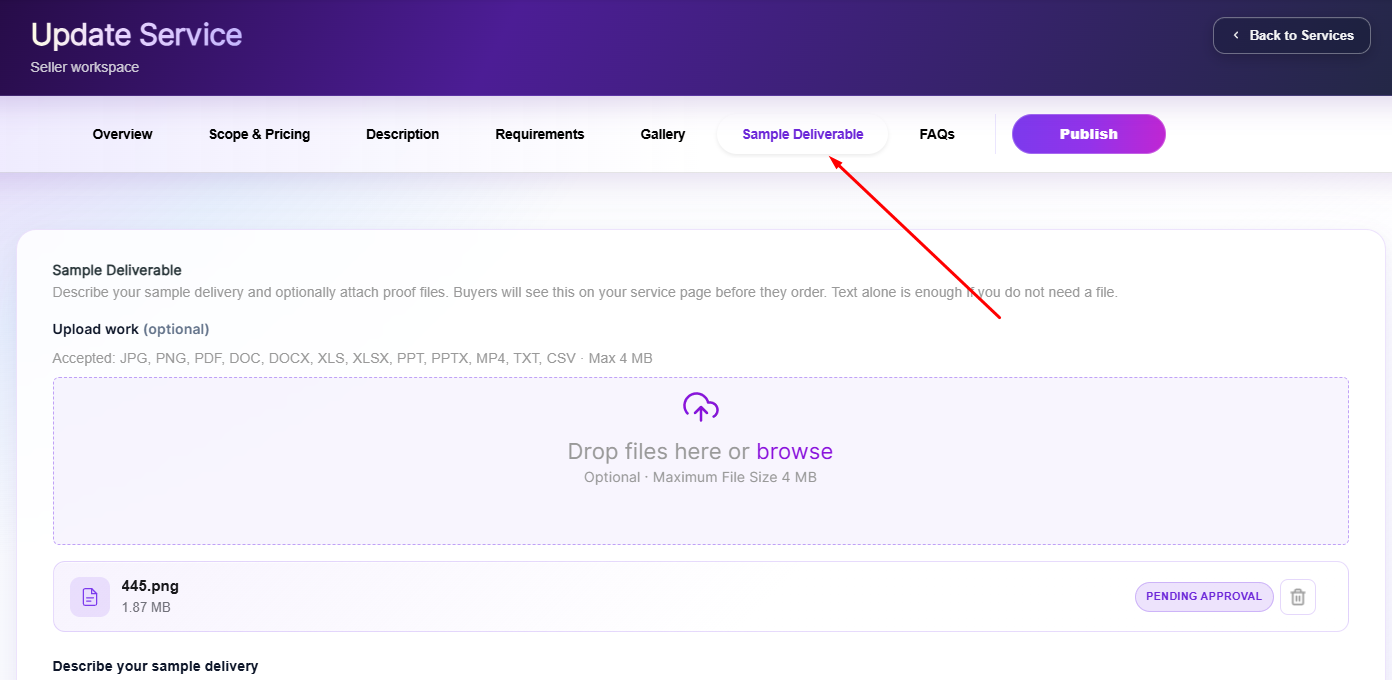
3. Under Describe your sample delivery, explain what the sample shows and what customers will get. This text appears above your sample on the service page (up to 2,500 characters). Add real detail, because very short or placeholder text won't be accepted.
4. (Optional) Under Upload work, drag in your files or click browse.
Accepted formats: JPG, PNG, PDF, DOC, DOCX, XLS, XLSX, PPT, PPTX, CSV, TXT, MP4. Max 4 MB per file.
5. Click Save & Continue, or Save & Preview Service to check how it looks, then click Publish.
New files show a Pending Approval label until our team reviews them.
Where customers see it
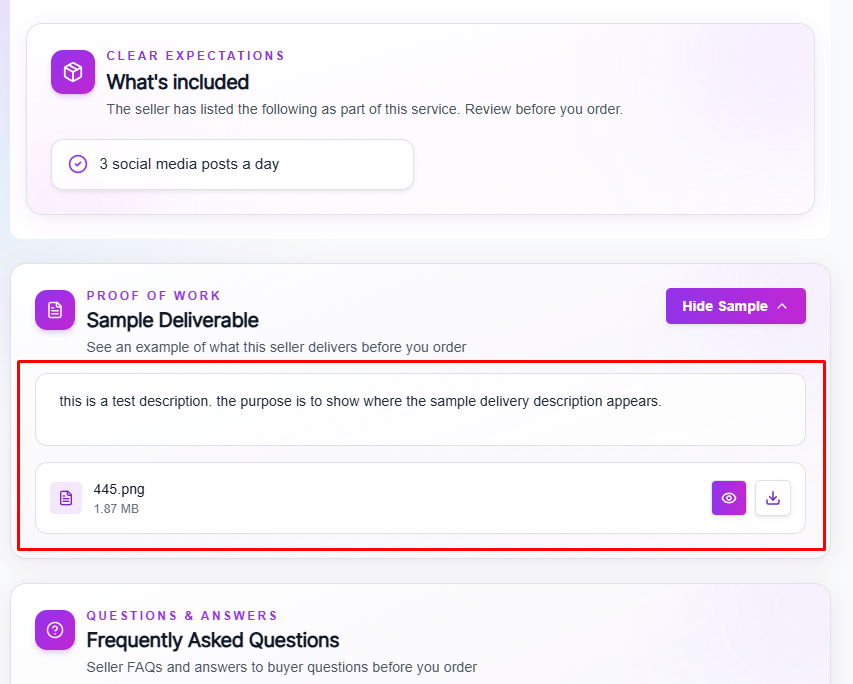
Your sample appears on your service page in the Proof of Work – Sample Deliverable section located under your service description.
Customers click Show sample to preview or download it.
What makes a good sample
- SEO / link services: a live link to a post you've published, or a report from a real audit. Links are welcome.
- Design services: a finished piece in the same style and format you deliver to customers.
- No past orders yet? Make your own sample. For example, write and publish an article on your own site, Medium or LinkedIn, or run an audit on your own website and upload the finished report.
Please avoid
- A single screenshot or only part of the work. Show the full result.
- Contact details such as email, phone, WhatsApp, Skype or Telegram, and anything that breaks Legiit's Terms of Service.
Can't save your service?
If your service is in SEO or Graphics & Design, make sure the Sample Deliverable tab is filled in and the description isn't too short.
Still stuck?
Contact our Support team by clicking on the purple chat icon on the lower right side of your screen, then "Customer Support" or contact help@legiit.com
Thank you for using Legiit!
Think BIG